
myPRO
Professional Web HMI/SCADA
myPRO is a modern, web-based, professional HMI/SCADA software for Windows and Linux. It combines intuitive operator interfaces with robust functionality — real-time monitoring, alarm management, OEE analytics and remote connectivity. Operators connect via any browser with no client software required.
Unlimited
Client connections
Available
Free evaluation
500+
Compatible devices
Key Features
- Native PLC drivers: Siemens S7, EtherNet/IP, Modbus TCP, OPC UA, Melsec Binary, Toyopuc
- Unlimited tags and simultaneous client connections
- Advanced alarm system with SMS & email notifications
- OEE, KPI and production statistics dashboards
- Historical trending, reporting and data logging
- Recipe management with SAP / MES integration
- Paperless maintenance with PDF documentation
- Role-based user management with full audit log
- Secure HTTPS server with optional VPN
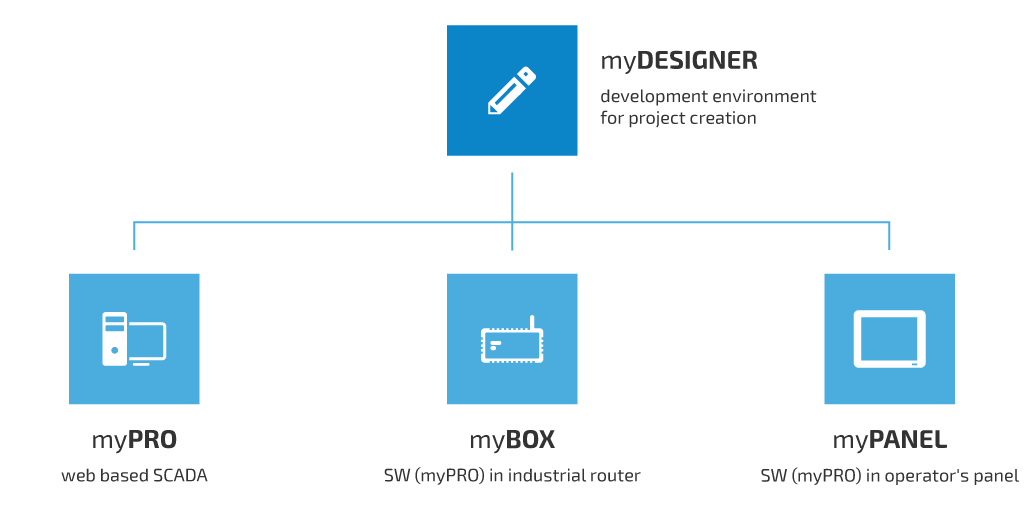
- Server, desktop and operator panel deployment modes
Technical Specifications
- Platforms
- Windows 11 update 23H2 / Server 2022, Linux (Ubuntu, Debian, Mint)
- PLC protocols
- Siemens S7 (1200/1500/300/400), EtherNet/IP, Modbus TCP, OPC UA, Melsec Binary, Toyopuc
- Client access
- Any modern browser — preferably Chromium-based (Chrome, Edge)
- Technology stack
- HTML5, SVG, JavaScript, Node.js
- Evaluation
- Free unregistered version for non-commercial use (2-hour runtime, restart to continue)
Real-World Deployments
Success Stories
 Automotive Manufacturing
 Škoda Auto
Škoda Auto deployed mySCADA for AGV fleet management — real-time vehicle visualization on vector maps with full alarm management, accessible via tablets on the Škoda IT network.
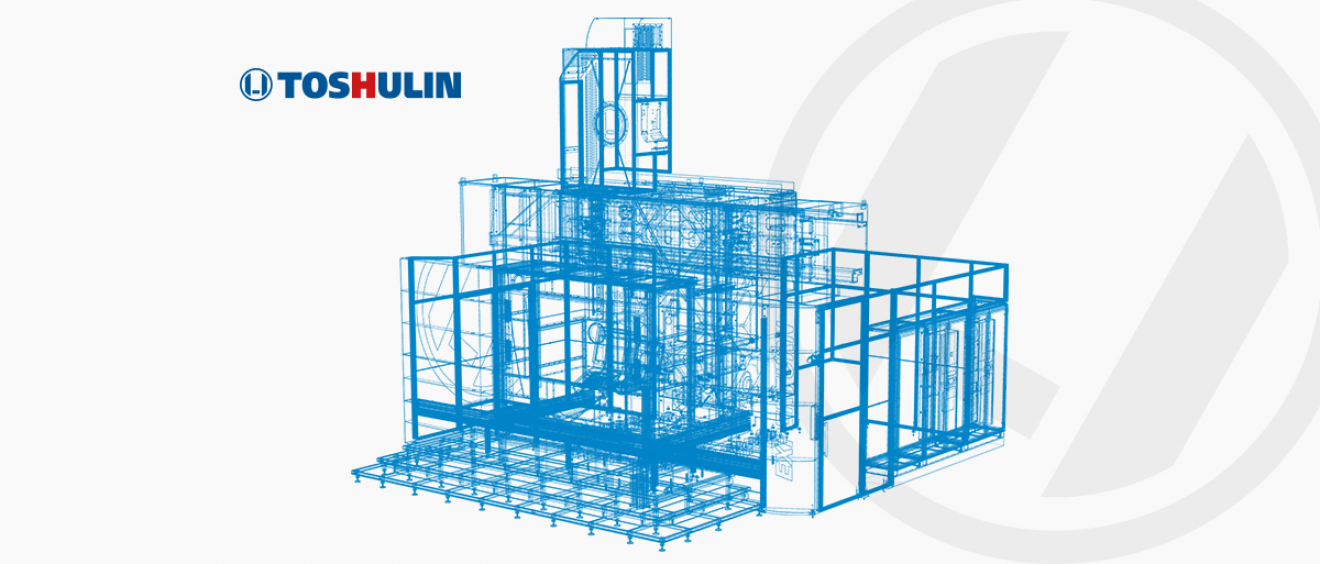 Machine Tools Manufacturing
 TOSHULIN
Global machine tool manufacturer enhanced their flagship EXPERTURN 1600C with mySCADA data collection and remote access — delivering a competitive advantage in the market.

 Papermaking
 Artezia
mySCADA implemented a modern steam supply and condensate drainage control system for a papermaking machine — with analytics down to individual cylinder level.
Deployment Options
myPRO adapts to your infrastructure — choose the deployment model that fits your project scale and environment.
Server Solution
Classic client/server architecture. myPRO runs as a dedicated server — operators connect from any browser without installing anything. Ideal for large-scale projects with multiple clients.
Desktop Solution
Install myPRO directly on an operator PC — no separate server hardware required. Reduces infrastructure cost while keeping full SCADA functionality on a single workstation.
Operator's Panel
Deploy myPRO on a myPANEL touch HMI for a self-contained panel solution. Perfect for machine-level control with a rugged touchscreen interface directly at the production line.
myBOX IPC
Run myPRO directly on the myBOX IPC industrial PC — a rugged DIN-rail computer built for automation environments. No separate server needed; myBOX IPC acts as both gateway and SCADA host.
System Architecture
Key Capabilities
From shop-floor monitoring to enterprise reporting — myPRO covers the full operational lifecycle.
Recipe Management
Change production recipes and ingredient ratios with minimal effort. Technologists can respond instantly to market demands without engineering intervention.
Data Export & Reporting
Export production data, alarm history and trends to PDF or MS Excel for management reporting, regulatory compliance and process documentation.
User Action Tracking
Every change made by operators is captured — who changed what, when, and why. Full audit log for quality management, ISO compliance and incident investigation.
OEE & Performance
Track Overall Equipment Effectiveness, production KPIs and downtime causes in real time. Identify bottlenecks and optimize throughput with built-in statistical dashboards.
Predictive Maintenance
Schedule preventive maintenance based on actual running hours. Paperless maintenance documentation with digital checklists reduces downtime and extends equipment life.
Remote Connectivity
Access your SCADA from anywhere via HTTPS. Integrate myACCESS for secure VPN tunneling to PLCs without public IP addresses or port forwarding.
Free to evaluate
Download
Unregistered version is fully functional — restart required after 2 hours of continuous use.
Documentation
Ready to get started?
Purchase licenses, view pricing and configure your edition in the mySCADA shop.
Try myPRO Manager
completely for free.
No license required — fully functional, restarts after 2 hours of continuous use.
Download for Windows Download for LinuxFree · No license required